
For the 2027 plan year, employees enrolled in the LiveWell Rewards program have the ability to self-report their flu shot and receive points in the portal within 48 hours.
Instructions to Self-Report and Check for Awarded Points**
** after the 48 hour waiting period.
Step 1: Visit umr.com – login as a “MEMBER”


Step 2: From the UMR member home page, find the “Health Center” on the blue bar that the top of the screen.
Step 3: Hover over the “Health Center” and a drop down menu will appear.
On this menu, click on the “Live Well Reward$”

Step 4: Click on the “Get Started” button to be navigated to the Wellness Portal.
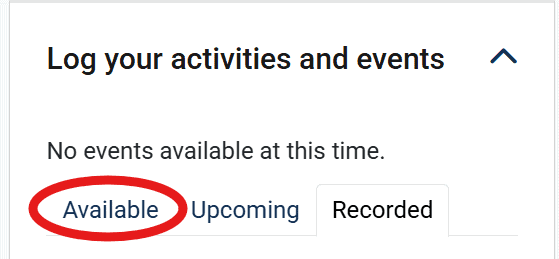
Step 5: Scroll down to the “Log Your Activities and Events” section. and click on “Available” Once on this page, you will have the option to select Flu Shot. You will enter the date you got your shot, and answer any other questions asked on this and submit. (You can retrieve your flu shot date in your MyChart portal or from your provider.)
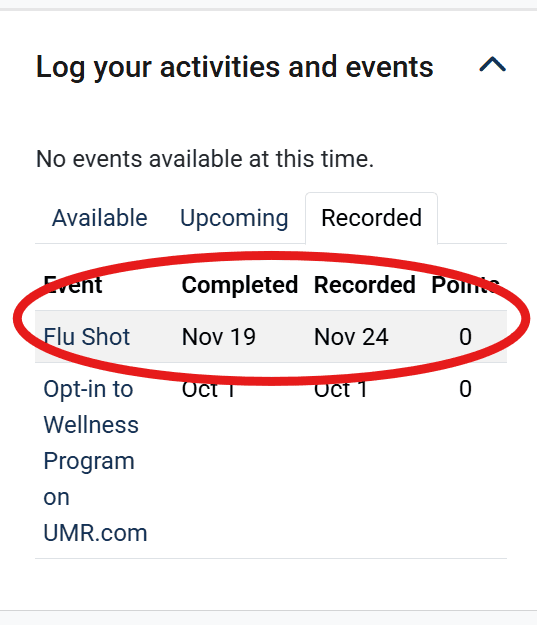
Step 6: Checking to see if it’s been logged, you can switch to the “Recorded” tab and should be there with your information you entered.
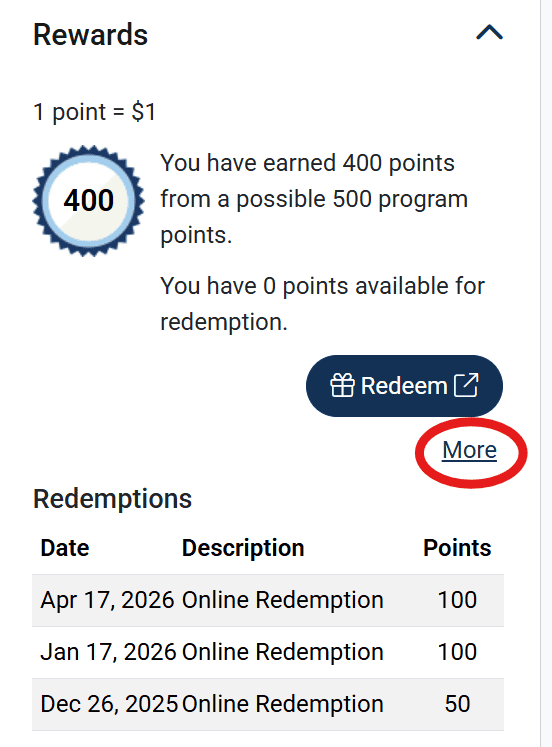
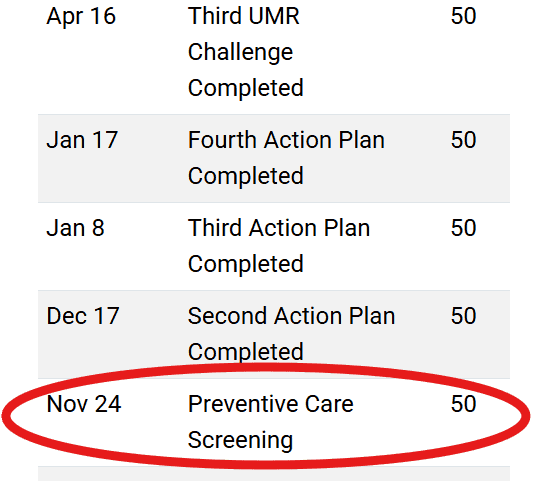
Step 7: After at least 48 hours, you will see the points for your shot loaded in the Rewards section. Click more to see the full list of your points. On that list, your flu shot will be listed with the date of recording as the point award date and it will be called “Preventative Care Screening”. See examples below.
Questions?
Log in to umr.com and select Health center from the main menu and choose Wellness activity center.
Click the Get started button then go to Contact information or call:
800-207-7680.
If you need assistance registering with your HealthSafe ID or are having any other technical issues, please call 866-922-8266.
When in the automated system, ask to speak with the “Medical” team. They are the only group at UMR that can answer questions about LiveWell Rewards and their portal.