
*Please note most gift cards on the redemption site are digital. When you placed an order, the item you choose will say if it’s digital or if you are to expect it in the physical mail.
Instructions:
Step 1: Visit umr.com – login as a “MEMBER”


Step 2: From the UMR member home page, find the “Health Center” on the blue bar that the top of the screen.
Step 3: Hover over the “Health Center” and a drop down menu will appear.
On this menu, click on the “Live Well Reward$”

Step 4: Click on the “Get Started” button, shown below with a red arrow.
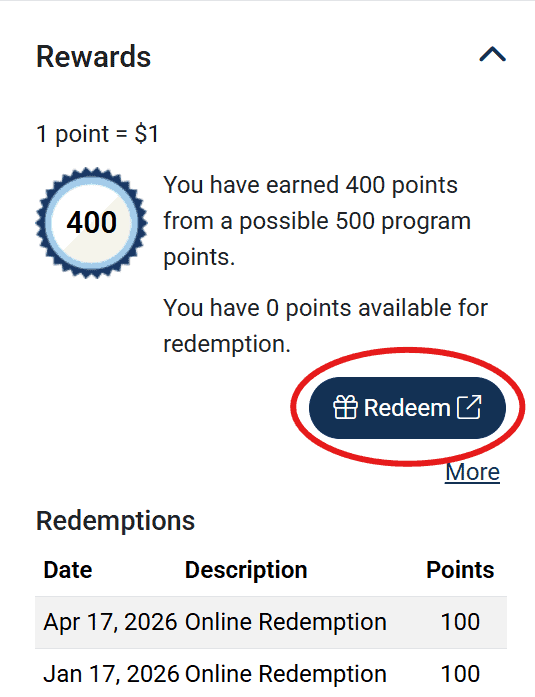
Step 5: Navigate to the Rewards section and click “Redeem“:
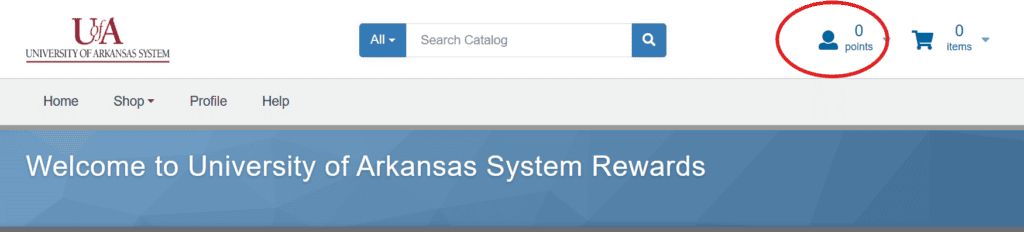
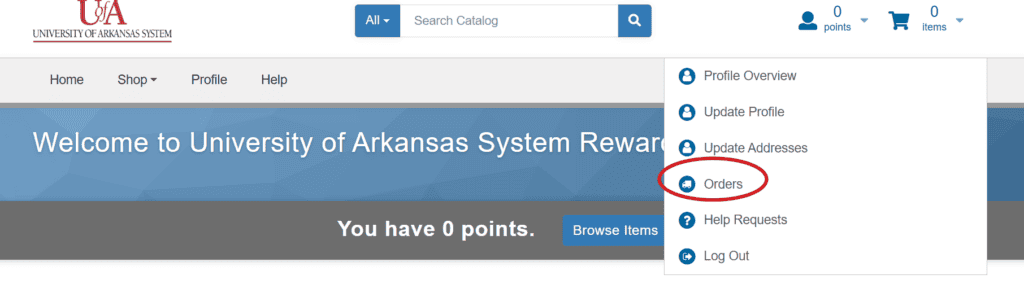
Step 6: Once on the redemption website, click on the icon that looks like a person in the upper right corner. A drop-down menu should appear and you will select “Orders“.
Step 7: Once on the Orders page, scroll down to the order you are wanting to get your digital gift cards from then click on the “Order Number” or “View Order”.

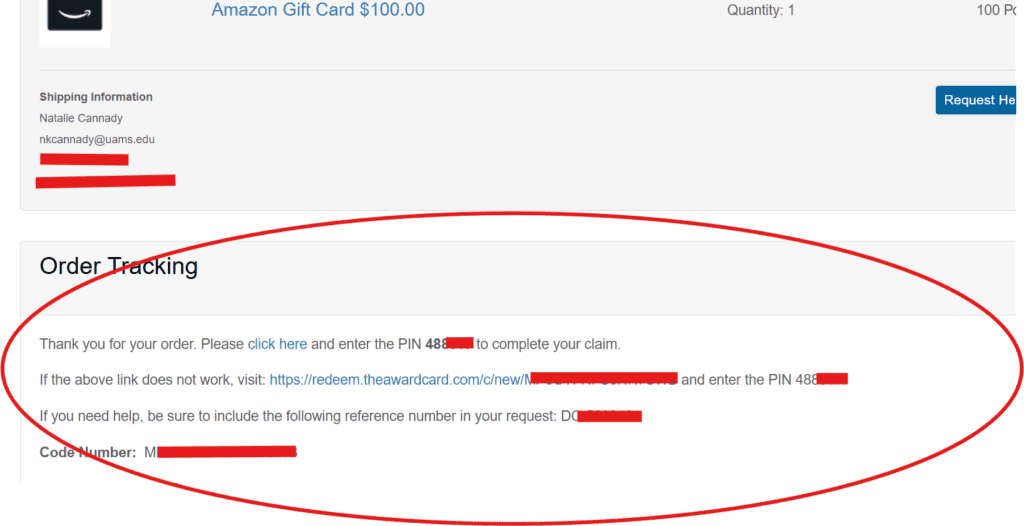
Step 8: On the order page, you will scroll down to the sections titled “Order Tracking“. Each gift card in the order will have it’s own Order Tracking box.
This “Order Tracking” box is where you will get the information on how to download or print your gift card.
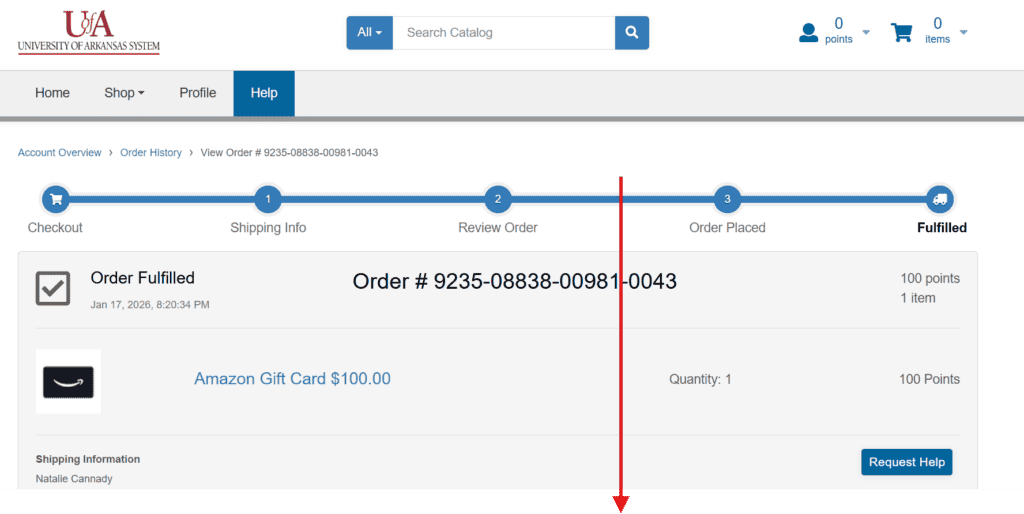
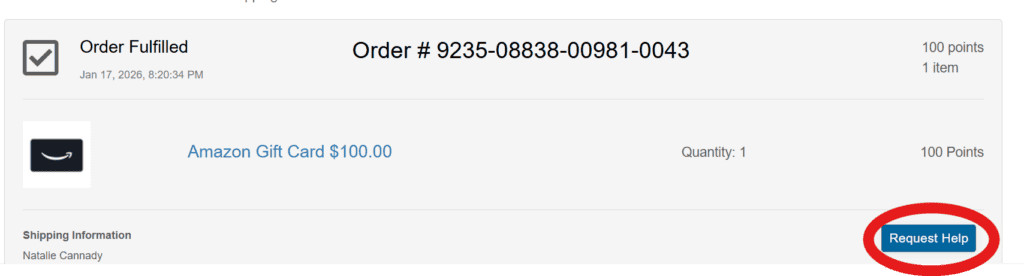
Step 9: If you are still experiencing difficulties, please use the “Request Help” option on this webpage to directly contact the company that fulfills orders on this site. Do not reach out to UMR.com customer service, they cannot see the orders on this site.
Gift cards awarded at the end of September for 2026 will only have 45 days to be cashed out. Cards not cashed in before the 45 day period is up will be forfeited.
Questions?
Log in to umr.com and select Health center from the main menu and choose Wellness activity center.
Click the Get started button then go to Contact information or call:
800-207-7680.
If you need assistance registering with your HealthSafe ID or are having any other technical issues, please call 866-922-8266.